Unix Timestamp Converter: How to Convert Between Epoch and Human Date
Master Unix timestamps: convert epoch seconds to readable dates, understand timezone handling, and use the right format for your programming language.
What is a Unix Timestamp?
A Unix timestamp (also called Epoch time) is the number of seconds that have elapsed since January 1, 1970, 00:00:00 UTC — the Unix Epoch.
Right now, the timestamp is roughly 1.8 billion and counting up by one every second.
Why 1970?
Unix was developed at Bell Labs in the late 1960s and early 1970s. January 1, 1970 was chosen as the epoch for simplicity — it's a clean, round date. Ken Thompson and Dennis Ritchie picked it, and the world followed.
When You Encounter Timestamps
Timestamps appear everywhere in development:
| Source | Format | Example |
|---|---|---|
| REST APIs | Seconds | 1716451200 |
| JavaScript Date.now() | Milliseconds | 1716451200000 |
| Python datetime | Seconds with decimals | 1716451200.123456 |
| Database TIMESTAMP | Seconds or milliseconds | 1716451200 |
| Firebase Timestamps | Milliseconds | 1716451200000 |
| Excel dates | Days since 1900 | 45455 |
The most common mistake? Mixing seconds and milliseconds.
How to Convert Timestamps
Using ToolboxPro
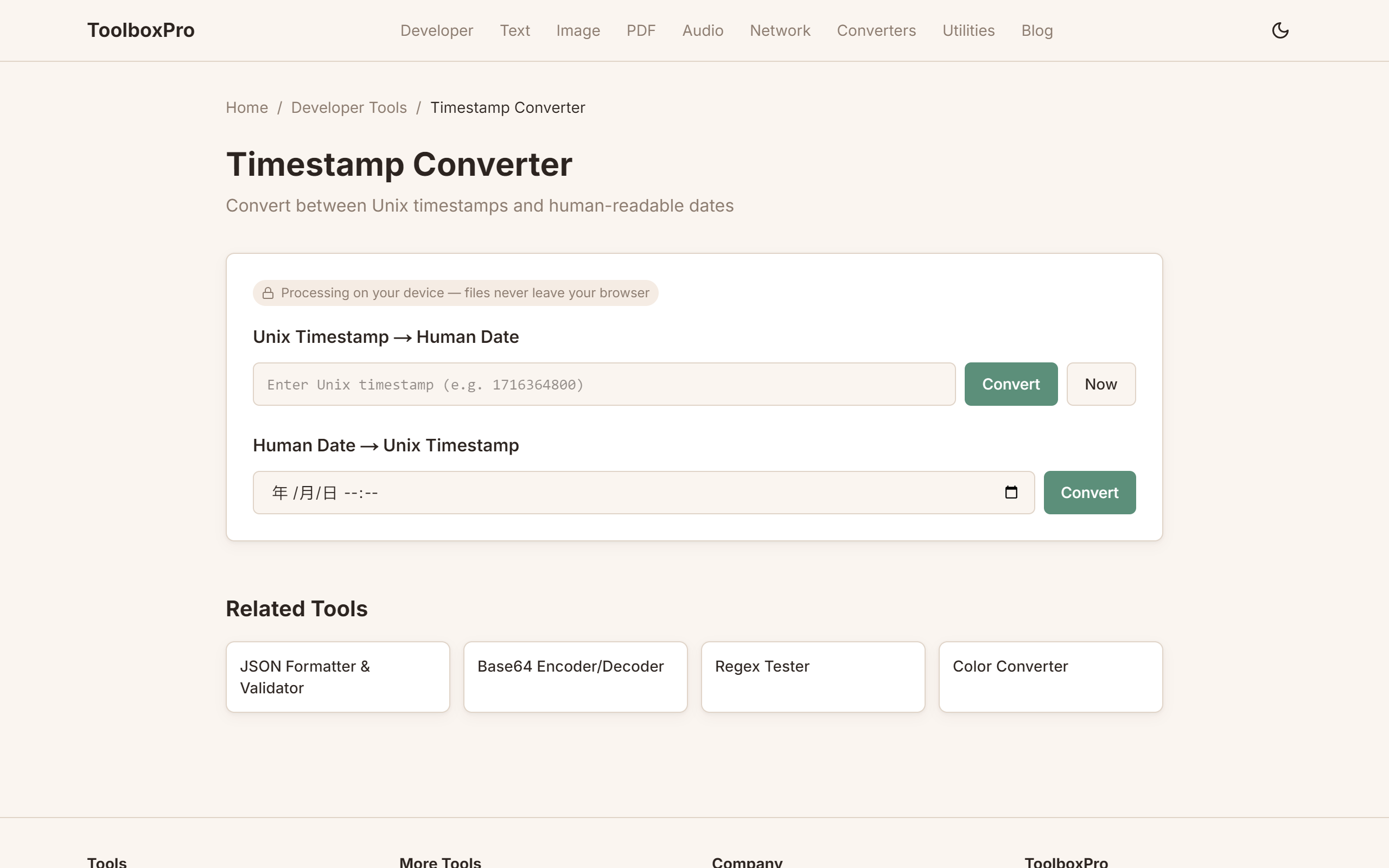
Visit our Timestamp Converter and:
1. Paste a timestamp — it auto-detects seconds vs milliseconds
2. See all formats instantly — UTC, ISO 8601, local time, relative time
3. Pick a date from the calendar — get the timestamp for any date
4. Copy any format with one click
Manual Conversion in Code
\\\`javascript
// JavaScript — Date.now() returns milliseconds
const ms = Date.now(); // 1716451200000
const seconds = Math.floor(Date.now() / 1000); // 1716451200
// Convert back
const date = new Date(1716451200000);
\\\`
\\\`python
# Python
import time
import datetime
# Current timestamp
ts = time.time() # 1716451200.123456
# To datetime
dt = datetime.datetime.fromtimestamp(ts)
print(dt.isoformat()) # "2026-05-23T00:00:00.123456"
# From datetime to timestamp
ts2 = dt.timestamp()
\\\`
\\\`sql
-- PostgreSQL
SELECT EXTRACT(EPOCH FROM NOW()); -- seconds
SELECT EXTRACT(EPOCH FROM NOW()) * 1000; -- milliseconds
SELECT TO_TIMESTAMP(1716451200); -- timestamp to datetime
-- MySQL
SELECT UNIX_TIMESTAMP(); -- seconds
SELECT FROM_UNIXTIME(1716451200); -- timestamp to datetime
\\\`
The Year 2038 Problem
On January 19, 2038, 32-bit signed integers will overflow. The timestamp 2147483647 (max 32-bit signed) rolls over to -2147483648, which corresponds to December 1901.
Who's affected: Legacy systems, embedded devices, older databases, 32-bit operating systems.
The fix: Use 64-bit integers (safe for 292 billion years) or unsigned 32-bit (safe until 2106).
Most modern systems already use 64-bit timestamps, but check your embedded devices and legacy databases.
Timezone Handling
Timestamps are always UTC. The conversion to local time is purely display logic:
\\\`javascript
// Always UTC internally
const utc = new Date("2026-05-23T12:00:00Z");
// Display in any timezone
const tokyo = utc.toLocaleString("en-US", { timeZone: "Asia/Tokyo" });
const nyc = utc.toLocaleString("en-US", { timeZone: "America/New_York" });
\\\`
Best Practice
Store timestamps as UTC integers in your database. Convert to local time only when displaying to users. This avoids every timezone-related bug.
FAQ
What's the difference between seconds and milliseconds? A factor of 1000. Timestamp \1716451200\ (seconds) = May 23, 2026. \1716451200000\ (milliseconds) = the same moment. Divide by 1000 to convert milliseconds to seconds.
Does a timestamp include timezone? No — timestamps are always UTC. The number itself represents the same instant everywhere on Earth.
How do I get the current timestamp in a shell script?
\\\`bash
# Seconds
date +%s
# Milliseconds
echo $(($(date +%s%N)/1000000))
\\\`
What is ISO 8601? A date format like \2026-05-23T14:30:00+08:00\. It's human-readable and includes timezone offset. Our tool shows both formats.
Timestamp Handling Across Programming Languages
Each language has its own quirks. Knowing the differences prevents subtle bugs:
| Language | Unit | API | Gotcha |
|---|---|---|---|
| **JavaScript** | Milliseconds | \`Date.now()\` | Divide by 1000 for seconds |
| **Python** | Seconds (float) | \`time.time()\` | Float precision can lose sub-ms |
| **Java** | Milliseconds | \`System.currentTimeMillis()\` | No built-in seconds method |
| **Go** | Nanoseconds | \`time.Now().UnixNano()\` | Divide by 1e9 for seconds |
| **Ruby** | Seconds (float) | \`Time.now.to_i\` | \`to_i\` truncates to integer |
| **PHP** | Seconds | \`time()\` | Integer only, no sub-second |
| **C#** | Ticks (100ns) | \`DateTime.UtcNow.Ticks\` | Offset from year 0001, not epoch |
Key takeaway: Always check whether a timestamp is in seconds, milliseconds, or nanoseconds before using it. If a date lands in 1970, you likely divided when you shouldn't have. If it lands in 1970 + a few days, you probably used seconds where milliseconds were expected.
Common Timezone Traps
Trap 1: DST Gaps and Overlaps
When daylight saving time kicks in, clocks "spring forward" — creating a gap where 2:00 AM to 3:00 AM never exists. When DST ends, clocks "fall back" — 1:30 AM occurs twice. If your code schedules events during these windows, you'll get silent bugs:
\\\`javascript
// This can fail on DST transition days
const meeting = new Date('2026-03-08T02:30:00'); // Invalid in US EST!
\\\`
Fix: Always schedule in UTC. Convert to local time only for display.
Trap 2: Server Timezone Defaults
Cloud servers default to UTC, but on-premise or Docker containers may inherit the host timezone. A cron job that runs at "2:00 AM" will fire at different absolute times depending on the container's \TZ\ setting.
\\\`dockerfile
# Pin the timezone in Docker
ENV TZ=UTC
\\\`
Trap 3: Off-by-One in Date Arithmetic
Adding 24 hours to a timestamp is NOT the same as adding one calendar day:
\\\`javascript
// Wrong: DST transition makes this 23 or 25 hours
const tomorrow = now + 86400000;
// Right: use date arithmetic
const tomorrow = new Date(now);
tomorrow.setDate(tomorrow.getDate() + 1);
\\\`
Log Analysis with Timestamps
When parsing logs, timestamps are your primary filter and sort key. Here's a practical workflow:
Step 1 — Normalize all timestamps to ISO 8601. Mixed formats (\2026/05/23\, \May 23 14:30:01\, epoch seconds) make sorting impossible. Convert everything to \2026-05-23T14:30:01Z\.
Step 2 — Use relative time for triage. When debugging, "5 minutes ago" is more useful than \1716450900\. Our converter shows relative time alongside absolute time.
Step 3 — Bucket by time windows. Group log entries into 1-minute or 5-minute buckets to spot traffic spikes or error bursts:
\\\`bash
# Count errors per minute from a log file
grep "ERROR" app.log | awk '{print $1}' | cut -d: -f1,2 | sort | uniq -c
\\\`
Step 4 — Verify timezone alignment. If your application servers and database report different timestamps for "now," you have a configuration problem. Run \SELECT NOW()\ in your database and compare it to \date -u\ on your server — they should match.
Advanced Tips
Try it yourself with our free online tool:
Try Unix Timestamp Converter: How to Convert Between Epoch and Human Date →