Free Online Regex Testers: Browser-Based vs Server-Based (2026 Comparison)
Compare the best free online regex testers including regex101, RegExr, Debuggex, and ToolboxPro. Features, speed, privacy, and UX compared side by side.
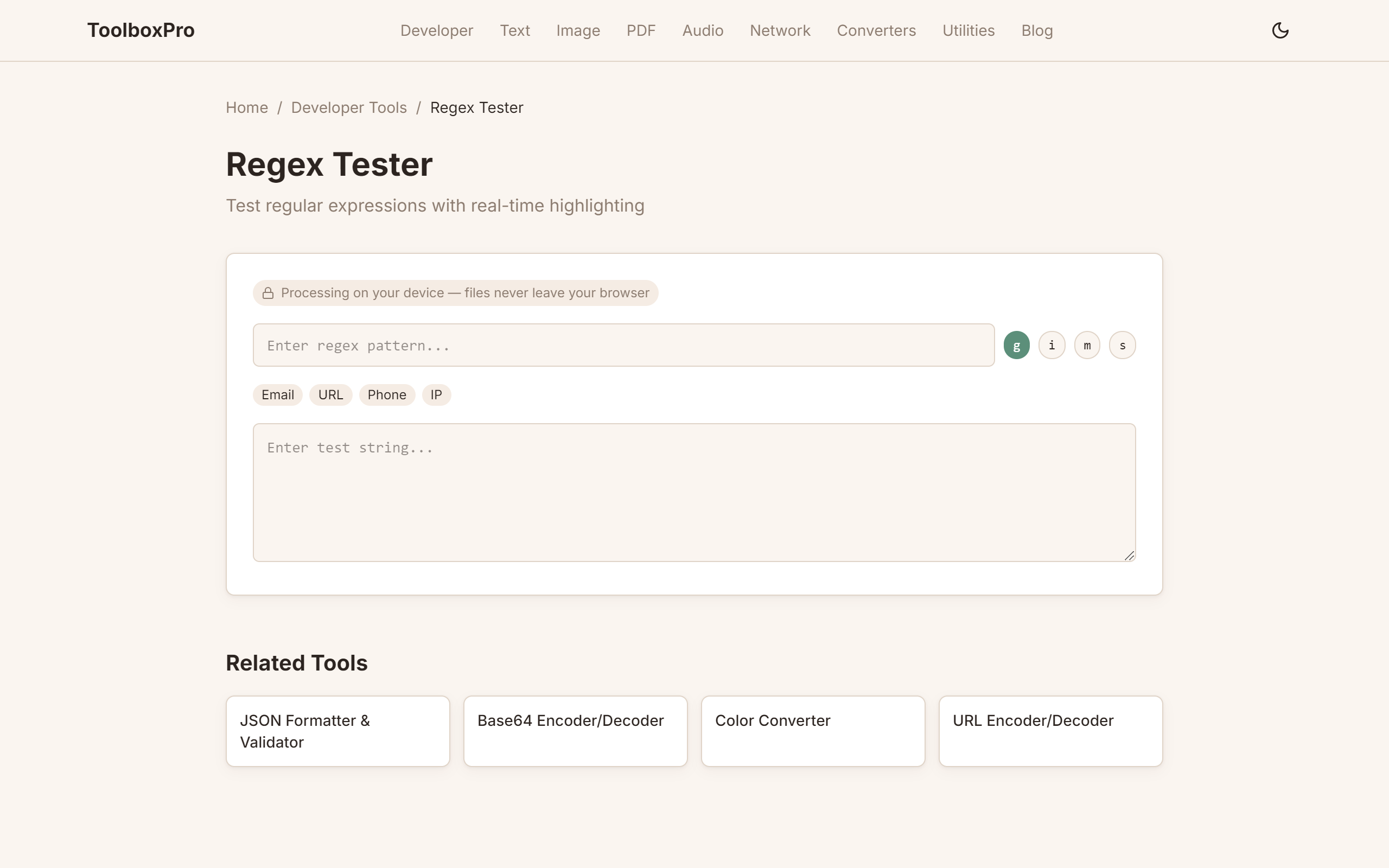
The Best Free Online Regex Testers in 2026
Regular expressions are powerful but notoriously hard to debug. A good regex tester should show matches in real-time, explain what your pattern does, and keep your regex and test data private. Here is how the top options stack up.
The Contenders
Feature Comparison
| Feature | regex101 | RegExr | Debuggex | ToolboxPro |
|---|---|---|---|---|
| Live matching | Yes | Yes | Yes | Yes |
| Multiple flags | Yes | Yes | Yes | Yes |
| Pattern explanation | Yes (detailed) | Yes (basic) | No | No |
| Railroad diagram | No | No | Yes | No |
| Multi-engine | Yes (6 engines) | No | No | No |
| Test case saving | Yes | No | No | Yes |
| Privacy | Sends to server | Client-side | Sends to server | Client-side |
| Works offline | No | No | No | Yes |
| Free | Yes | Yes | Yes (limited) | Yes |
Privacy Analysis
regex101 processes patterns and test data on its servers. Your data is transmitted over the network.
RegExr processes entirely in the browser. Your regex and test data never leave your device.
Debuggex generates railroad diagrams server-side. Your pattern is sent to their backend.
ToolboxPro processes entirely client-side. No data transmission, zero trust required.
Verdict
Best overall: regex101 — the feature king. But your data goes to their server.
Best for privacy: ToolboxPro — client-side only. The only safe choice for sensitive data.
Best for learning: RegExr's visual reference panel helps beginners understand regex tokens.
Best for complex visual debugging: Debuggex's railroad diagram is unmatched.
Deep Dive: What Makes a Great Regex Tester
Not all regex testers are created equal. Beyond the basic feature table, there are subtle differences in how tools handle edge cases, performance, and user experience that can make or break your workflow.
Real-Time Matching vs. Manual Execution
Some tools require you to click a "Test" button after typing your pattern. Others — like ToolboxPro, regex101, and RegExr — provide real-time matching, highlighting matches in your test string as you type. This instant feedback loop is critical for iterative pattern building. When you're experimenting with a complex pattern, waiting for a button click after every keystroke slows you down dramatically.
Engine Support Matters More Than You Think
Different programming languages use different regex engines. JavaScript's RegExp doesn't support lookbehinds the same way Python's re module does. PCRE (Perl Compatible Regular Expressions) supports features like atomic groups and possessive quantifiers that ECMAScript doesn't. If you're writing a regex for a specific language, testing it in the wrong engine gives false positives or false negatives.
regex101 uniquely supports six engines: PCRE, PCRE2, Python, Go, JavaScript, and Java. This makes it invaluable when working across multiple languages. The ToolboxPro Regex Tester focuses on the most common use case — JavaScript-compatible patterns — which covers the majority of web development scenarios.
Pattern Explanation and Documentation
regex101's explanation panel is one of its standout features. It parses your regex into human-readable segments, explaining what each token does. For example, \b\w+@\w+\.\w+\b gets broken down into word boundary, word characters, literal @, and domain components. This is invaluable for learning regex and for reviewing complex patterns you haven't touched in months.
Community and Shared Patterns
regex101 and RegExr both offer community-shared patterns. You can browse, fork, and learn from thousands of tested patterns. This social aspect is a powerful learning tool for beginners and a time-saver for experienced developers who want a head start on common tasks.
How to Test Regex Patterns Effectively
Testing a regex pattern is more than just checking if it matches. A thorough testing workflow ensures your pattern works reliably across different inputs, edge cases, and failure scenarios.
Step 1: Start with Valid Matches
Begin by testing your pattern against known valid inputs. If you're writing an email regex, start with user@example.com, firstname.lastname@domain.co.uk, and similar expected formats. Confirm these match correctly before moving on.
Step 2: Test Edge Cases
Edge cases are where most regex bugs hide. Consider:
Step 3: Verify Non-Matches
Testing that invalid inputs do NOT match is equally important. An email regex that also matches this is not an email is worse than no regex at all. Test against:
Step 4: Use Flags Correctly
Regex flags change how patterns behave. The most common:
| Flag | Effect |
|---|---|
| `g` | Global — find all matches, not just the first |
| `i` | Case-insensitive matching |
| `m` | Multiline — `^` and `$` match line boundaries |
| `s` | Dotall — `.` matches newline characters |
The ToolboxPro Regex Tester lets you toggle each flag independently with checkboxes, so you can see exactly how each flag affects your matches.
Step 5: Test with Multiple Samples
Don't test with just one string. Paste a block of realistic data — a log file, a CSV column, a list of URLs — and see how your pattern performs on varied real-world input. This catches patterns that work on toy examples but fail in production.
Common Regex Patterns Every Developer Should Know
Here are practical patterns you'll use repeatedly. You can test all of them in the ToolboxPro Regex Tester.
Email (simplified): [\w.+-]+@[\w-]+\.[\w.]+
URL: https?://[^\s/$.?#].[^\s]*
IP Address (v4): \b(?:\d{1,3}\.){3}\d{1,3}\b
Date (YYYY-MM-DD): \d{4}-(?:0[1-9]|1[0-2])-(?:0[1-9]|[12]\d|3[01])
Phone Number (US): (?:\+1[-.\s]?)?\(?\d{3}\)?[-.\s]?\d{3}[-.\s]?\d{4}
HTML Tags: <([a-z][a-z0-9]*)\b[^>]*>(.*?)
Each of these patterns has trade-offs between accuracy and simplicity. A production-grade email regex, for example, is hundreds of characters long. For most applications, the simplified version above works perfectly. Use the ToolboxPro Regex Tester to experiment with each one and see how they perform.
Related Tools
Try it yourself with our free online tool:
Try Free Online Regex Testers: Browser-Based vs Server-Based (2026 Comparison) →